Reports
Audit Reports is an interactive report generator which allows users to pick a Report Group and run an Audit Report from that Group. Reports are generated in 2 user selectable formats: CSV or HTML. EPMware maintains a complete audit trail of all transactions from request to deployment, and every transaction can be queried using reports included in the Audit module.
The Reports module provides comprehensive reporting capabilities across all aspects of the EPMware system, from metadata analysis to security auditing, request tracking, and deployment monitoring. Users can generate reports on demand and export them in multiple formats for offline analysis and documentation.
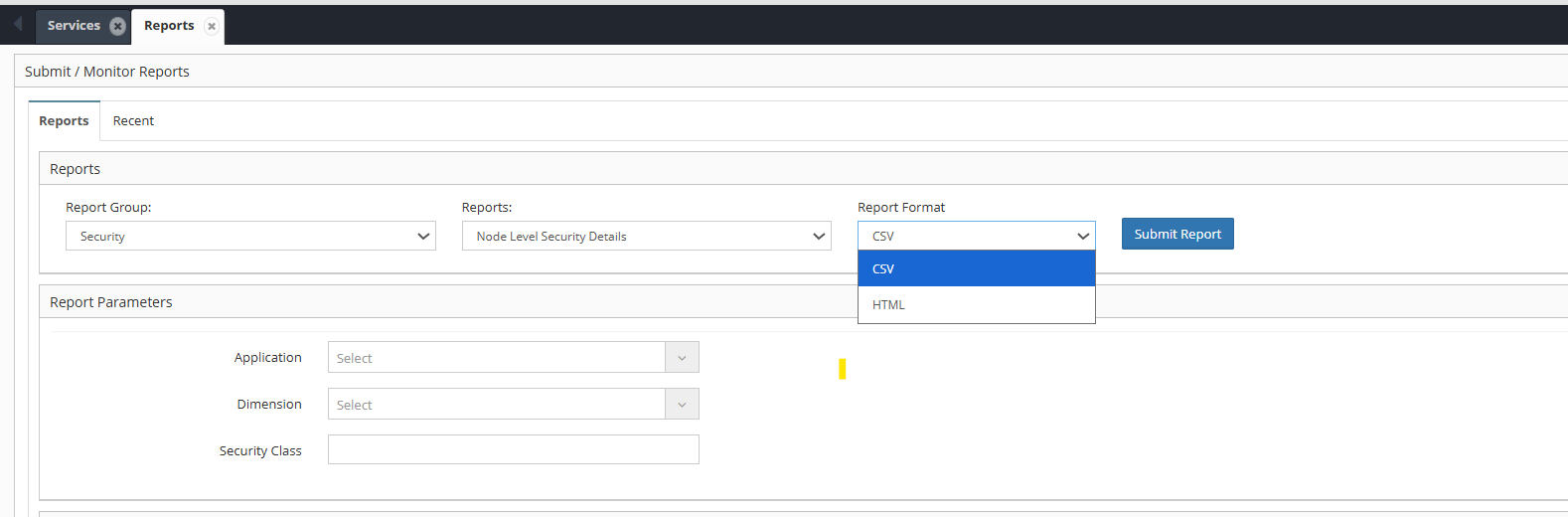
Reports interface showing report groups and generation options
Report Groups
EPMware organizes reports into logical groups for easy navigation and selection:
- Admin - Administrative reports for system management
- Analytics - Statistical and analytical reports
- Configuration - System and application configuration reports
- Deployment - Deployment status and history reports
- ERP Import - Enterprise resource planning import reports
- Exports - Data export and extraction reports
- Security - User access and security reports
- Metadata - Comprehensive metadata analysis reports
- Request - Metadata request workflow reports
- Workflow - Workflow process and approval reports
Report Export Formats
The Reports can be exported in the following formats:
- .HTML - Web-based report format suitable for viewing and printing.
- .CSV - Comma-separated values for data analysis and import.
To Generate a Report
-
Go to Audit -> Reports from the Navigation Menu
-
Select a Report Group
-
Select a Report
-
Select a Report Format
-
Input additional parameters if required
-
Click Generate Report
-
Click Save to save the Report
Info
For more info on Reports Module, click here.